Settings, auto-protect, delay buffer & panic
Settings live behind the gear in the bottom dock (or ⌘,), in three groups: Camera, Privacy, and Safety.
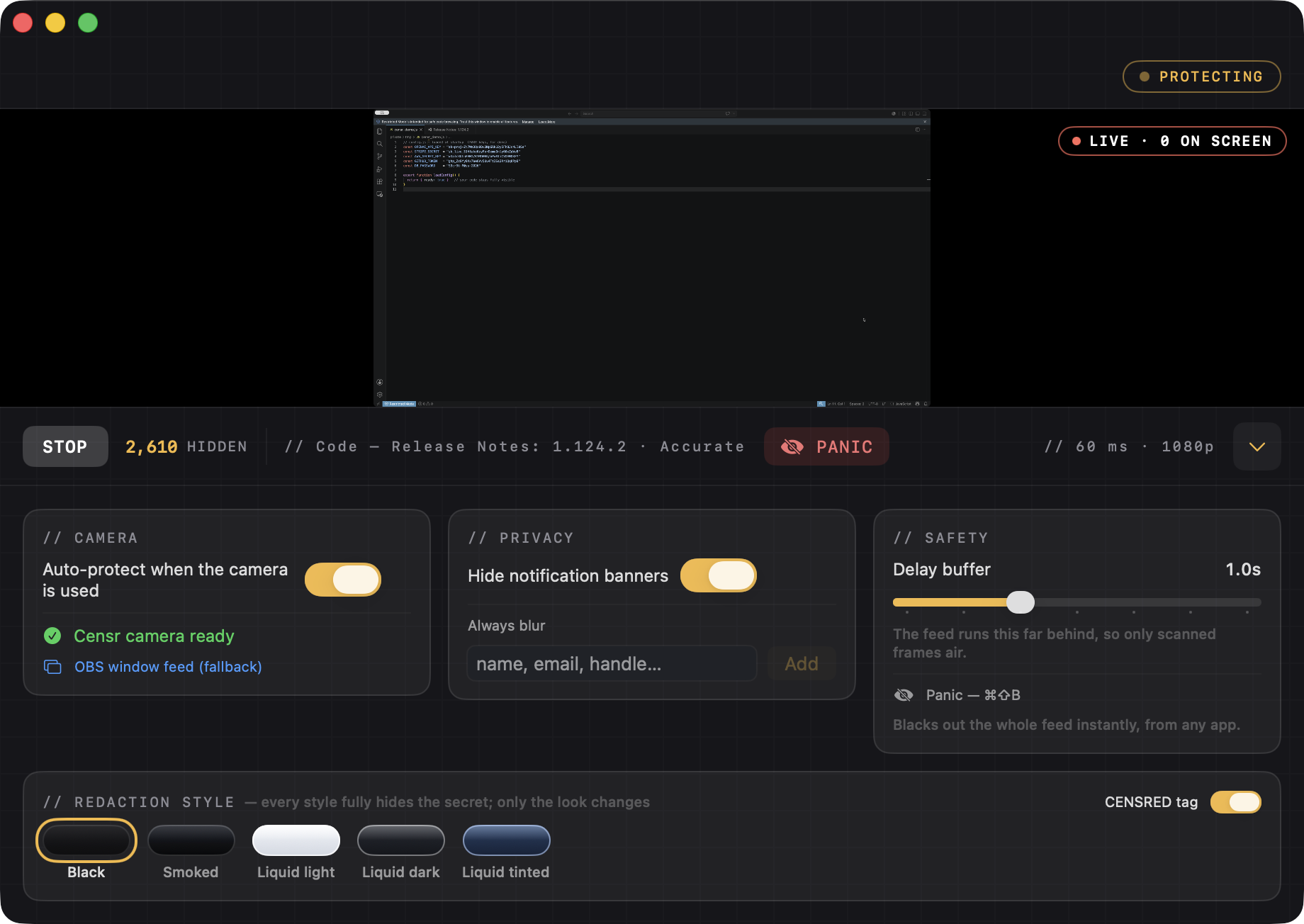
Auto-protect (open once, forget it)
With Auto-protect on (Settings → Camera, on by default), you just open Censr and leave it. The moment any app opens the Censr camera — OBS, Zoom, Meet, Teams, Discord — Censr starts protecting on its own, and stops when you're done. No need to press Start.
What Censr detects automatically
- API keys & tokens — OpenAI
sk-, Anthropicsk-ant-, Stripe, GitHubghp_, AWSAKIA…, Google, Slack, JWTs, private-key blocks, Twitch stream keys. - Passwords & secrets by label —
password:,pwd=,PIN:,secret:; the value area is pre-blocked, so it's covered as you type. - Strong-password-shaped tokens — mixed upper/lower/digit/symbol strings, even with no label.
- PII — email, SSN, credit-card numbers.
- High-entropy tokens — long random-looking strings the rules missed.
- Your Always-blur list — anything you add.
You don't list the patterns — they're caught for you.
Always-blur — for things with no pattern
Add things auto-detection can't know are sensitive: your real name, email, home address, phone, a specific handle, a client or company name — and any simple password you'll have on screen (a bare word like hunter2 has no pattern, so add it here). Don't add API keys — those are already caught.
Hide notification banners
Under Privacy, this keeps Messages / Mail / Calendar pop-ups out of a full-display capture — so a DM or 2FA code can't flash mid-stream.
Delay buffer — your safety margin
Censr's protected feed runs a beat behind real time, and only ever airs frames it has already scanned. That small delay is what guarantees a secret is covered before it reaches your audience — even one you just typed. Set it under Safety → Delay buffer.
| Setting | What it's for |
|---|---|
| 1.0s (default) | Comfortable, plenty of margin. Recommended for most people. |
| ~0.5s | Censr catches secrets in ~0.4s, so half a second is the safe minimum: less lag, still leak-proof. |
| Up to 3s | Extra cushion if you scroll/type very fast or want maximum safety. More lag. |
| 0s | Live, no buffer. Not recommended — a freshly-typed secret could flash for a frame. |
The trade-off: the buffer is how far your shared feed lags real time, so at 1s your face-cam is ~1 second ahead of your screen feed. If that bugs you, drop toward 0.5s. Your real screen is never delayed — only the protected feed your audience sees.
Scrolling & typing (how Censr stays safe)
- Typing — Censr re-scans a few times a second, so a secret you type is caught even in a still window.
- Scrolling — while the screen moves fast, OCR can't read it reliably, so Censr holds the last fully-scanned frame instead of airing the live one, then catches up when you stop.
Together with the buffer: a secret is never shown uncovered, even for a frame.
Panic
Press ⌘⇧B anytime — even when Censr isn't focused — to instantly black out the entire feed (no delay). Press again to resume. It's your backstop; keep it in muscle memory.
Recommended setup for most people
- Auto-protect: on · Mode: Accurate · Delay buffer: 1.0s
- Add your name, handle, email, and any bare passwords to Always-blur.
- Keep ⌘⇧B memorized. Prefer test/throwaway keys on screen.